
Terminate contract / child
If a child no longer attends school and the contract is no longer needed, parents can cancel it themselves via the web portal.
You can cancel the contract in the section My customer account / Cancel contract for the child or contract in question.
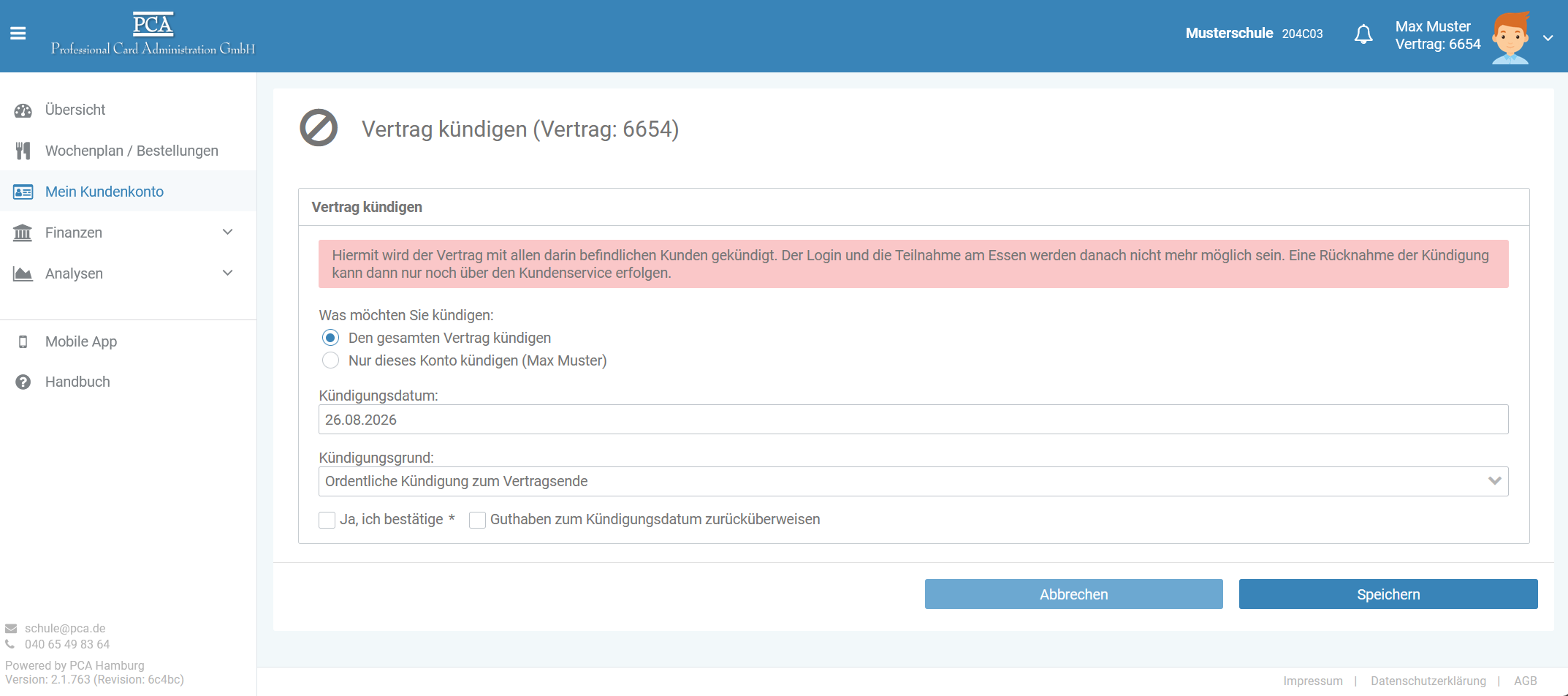
The existing credit balance will be automatically refunded on the cancellation date if the box for “Refund credit balance on cancellation date” is checked during the cancellation process. Therefore, please ensure that bank details are included with the contract. Further information on providing bank details can be found in the Payment Methods section.
At the time of cancellation, all standing orders and any existing reservations will also be automatically cancelled, provided they have not yet been booked.
If no bank details are yet stored for the contract, you can add them via the payment method. To do this, temporarily activate payment by direct debit, enter the desired bank details, and then switch the payment method back to bank transfer. The remaining balance will always be transferred back to the bank account currently registered with the contract.
If the contract consists of several children and only one child leaves the school, only that one child may be terminated. The remaining child retains the contract and can continue to use the existing credit, chip and all other settings.